

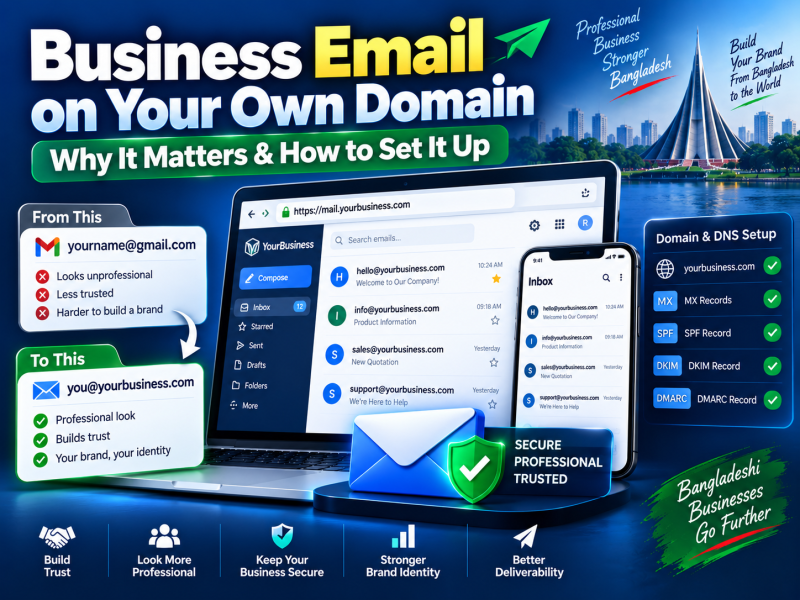
Imagine two quotations arriving in a hospital's inbox. One comes from rahim.itsolution2021@gmail.com. The other comes from sales@rahimitsolutions.com. Both companies might be equally good, but the second one looks established and accountable before anyone opens the attachment.
An email address on your own domain — often called business email or professional email — is one of the cheapest ways to look credible, keep control of company communication and improve email deliverability. This guide explains why it matters, the options available to businesses in Bangladesh, how to set it up correctly and how to keep your emails out of spam folders.
Why a free email address hurts a growing business
- Trust. Customers, suppliers, banks and government offices take a domain-based address more seriously. Free addresses are also used by scammers, so recipients are cautious.
- Brand. Every email you send promotes your domain name and website.
- Ownership. When a staff member leaves and the company used their personal Gmail for client communication, the history and the client relationships can leave with them. With business email, the company owns every mailbox.
- Organisation. Role addresses like info@, sales@, support@ and accounts@ keep enquiries organised and can be handed over when responsibilities change.
- Tenders and corporate clients. Many procurement processes and larger clients expect a company domain email.
What you need
- A domain name — for example yourcompany.com or yourcompany.com.bd. Register it in the company's name and keep the login details with the owner.
- An email service that hosts mailboxes for your domain.
- Correct DNS records so the world knows where to deliver your email and that your emails are genuine.
Your email hosting options
1. Email included with web hosting
Most web hosting plans include email accounts. You create mailboxes in the control panel and use webmail, Outlook, Thunderbird or your phone's mail app.
- Pros: little or no extra cost, managed in the same panel as your website.
- Cons: storage per mailbox is usually limited; website and email share the same server, so a problem with one can affect the other; fewer collaboration features.
- Best for: small businesses with a handful of mailboxes and moderate email volume.
2. Google Workspace
Gmail's interface on your own domain, with Google Drive, Meet, Calendar and Docs.
- Pros: excellent reliability and spam filtering, familiar interface, strong mobile apps, collaboration tools.
- Cons: a per-user monthly fee paid in foreign currency, which adds up as your team grows.
- Best for: teams that live in email and collaborate on documents.
3. Microsoft 365
Outlook and Exchange on your domain, with Word, Excel, Teams and OneDrive.
- Pros: enterprise features, deep Outlook integration, desktop Office apps on some plans.
- Cons: per-user fees and more complex administration.
- Best for: organisations that already rely on Microsoft Office.
4. Dedicated business email hosting
Email-only services from hosting providers, separate from your website server, with larger mailboxes and better deliverability than basic shared hosting email.
- Best for: businesses that want professional email at a lower cost than Workspace or Microsoft 365.
How to choose
| Your situation | Sensible choice |
|---|---|
| 1–5 people, basic email | Email from your web hosting plan |
| Growing team, many attachments | Dedicated business email hosting |
| Heavy collaboration on documents and meetings | Google Workspace |
| Company standardised on Office and Outlook | Microsoft 365 |
You can also mix: management on Google Workspace, and general role addresses on hosting email. What matters is that the domain and DNS are configured correctly.
Setting up business email step by step
- Register your domain (or use the one you already own) and make sure you can access its DNS settings.
- Choose your email service and create the mailboxes you need.
- Update the domain's MX records to point to your email provider. MX records tell other mail servers where to deliver email for your domain.
- Add the SPF, DKIM and DMARC records your provider gives you (explained below).
- Set up mailboxes on staff computers and phones using the provider's app or IMAP settings.
- Send test emails to Gmail, Outlook and Yahoo addresses and check they arrive in the inbox, not spam.
SPF, DKIM and DMARC — why your email lands in spam
The most common complaint about new business email is "my emails go to spam". Usually the reason is missing authentication records. Major email providers increasingly require them.
SPF (Sender Policy Framework)
A DNS record listing which servers are allowed to send email for your domain. If an email claims to be from your domain but comes from a server not on the list, receivers treat it with suspicion. You should have only one SPF record; if you use several sending services, combine them in that one record.
DKIM (DomainKeys Identified Mail)
A digital signature added to each email your server sends. The public key is published in your DNS, so receivers can confirm the email was not altered and really came from your domain.
DMARC
A policy that tells receiving servers what to do with emails that fail SPF or DKIM checks — deliver, quarantine or reject — and where to send reports. Start with a monitoring policy (p=none), review the reports, and tighten it once you are sure all your legitimate email passes.
Best practices for good deliverability
- Do not send bulk marketing from staff mailboxes. Use a proper email marketing service for newsletters, so a campaign does not damage delivery of normal business email.
- Keep a clean reputation. A hacked mailbox sending spam can get your whole domain blocked. Use strong passwords and two-factor authentication.
- Avoid spam-like content — all-capital subject lines, excessive links and misleading headings.
- Add a professional signature with name, designation, phone and website, not a large image.
- Check blacklists if delivery suddenly drops.
Security for business email
- Enable two-factor authentication wherever available.
- Train staff to recognise phishing emails, especially fake payment requests and "urgent" invoice changes.
- Always confirm changes to bank details by phone before sending money.
- Remove or reset mailboxes immediately when staff leave, and forward important mail to a manager.
- Back up important mailboxes regularly.
Useful addresses to create
- info@ — general enquiries from your website.
- sales@ — quotations and new business.
- support@ — customer help, ideally connected to a ticket system.
- accounts@ or billing@ — invoices and payments.
- hr@ or career@ — job applications.
- name@ — personal addresses for each staff member.
Role addresses can be shared mailboxes or forwarders to the right person, so customers always use the same address even when staff change.
Moving from Gmail to business email without losing messages
- Create the new mailboxes before changing any DNS records.
- Import old messages using your provider's migration tool or an IMAP import.
- Change the MX records during a quiet period.
- Set an auto-reply or forwarding on the old address for a few months.
- Update your website, invoices, visiting cards, Facebook page and Google Business Profile with the new address.
Using business email on mobile phones
Most business owners in Bangladesh read email on their phones. Setting it up correctly avoids missed messages and duplicate folders:
- Use IMAP, not POP3. IMAP keeps email on the server and synchronises read, sent and deleted messages across your phone, laptop and webmail. POP3 downloads messages to one device and can remove them from the server.
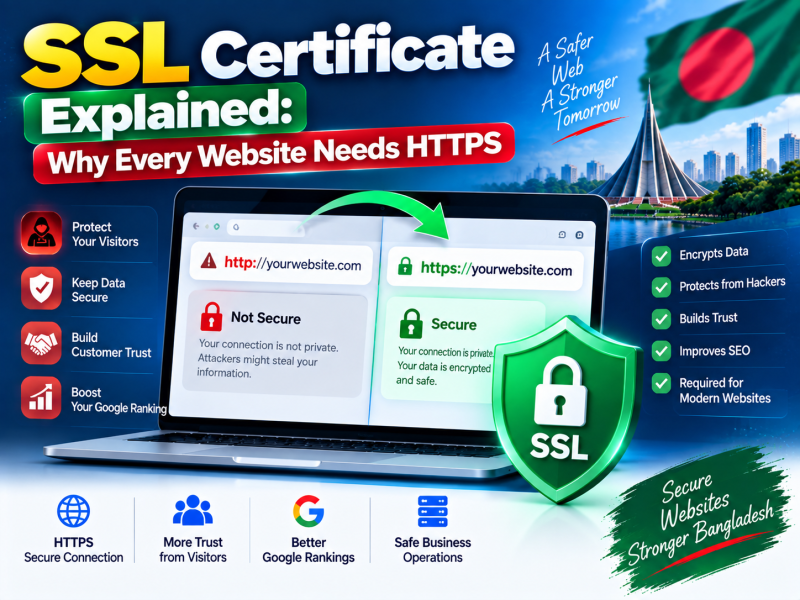
- Use the secure ports and SSL/TLS settings your provider recommends, so passwords are never sent unencrypted.
- Use the official app for Google Workspace or Microsoft 365; for hosting email, the Gmail app or Outlook app both work well with IMAP accounts.
- Set up a signature on the phone too, so replies sent from mobile still look professional.
- Protect lost phones with a screen lock, and change the mailbox password immediately if a phone is lost or stolen.
Mailbox storage and attachment tips
Mailboxes fill up faster than expected, especially when staff exchange quotations, scanned documents and photos. When a mailbox is full, new emails bounce back to the sender — often without anyone noticing.
- Share large files through Google Drive, OneDrive or a download link instead of attaching them.
- Archive old projects to a folder on your computer or cloud storage once a year.
- Empty the trash and spam folders regularly, because they count towards storage.
- Choose larger mailboxes for sales and accounts teams who handle many attachments.
Common setup mistakes
- Two SPF records instead of one combined record.
- MX records still pointing to an old provider after migration.
- DKIM enabled at the provider but the key never published in DNS.
- A strict DMARC policy added before checking that all legitimate sending services pass.
- The domain registered to a freelancer, so the company cannot change DNS when needed.
Conclusion
Business email on your own domain makes your company look credible, keeps communication under company control and, when SPF, DKIM and DMARC are configured properly, helps your emails reach the inbox. Choose a service that fits your team size and collaboration needs, set up DNS carefully and protect every mailbox with strong passwords and two-factor authentication.
W3 SOFT hosting plans include business email on your own domain, and our team can register your domain and configure MX, SPF and DKIM records for you. Search for a domain, see hosting plans with email, or ask us for help setting up professional email.

Discussion 0
No comments yet — start the conversation.