

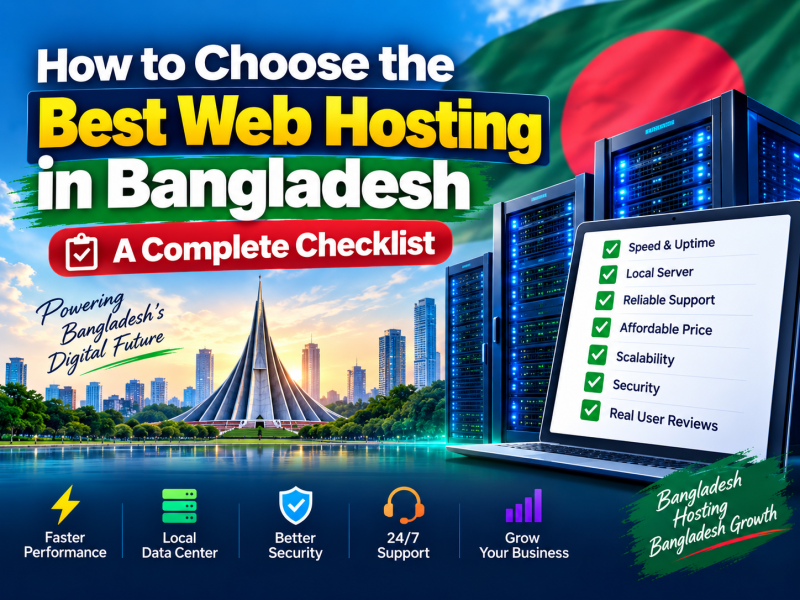
Every website in Bangladesh — a school notice board, a Facebook shop moving to its own domain, a hospital appointment page or a national news portal — lives on a web server somewhere. The company that rents you space on that server is your web hosting provider, and the choice you make affects how fast your pages open, how often your site goes down, how safe your data is and how much time you spend fixing problems instead of running your business.
There are dozens of hosting companies advertising in Bangladesh, and almost all of them claim to be "the best", "the fastest" and "the cheapest". This guide cuts through the marketing. It explains what actually matters, what to ignore, and gives you a practical checklist you can use to compare any two hosting plans side by side.
1. Start with what your website really needs
Before you look at a single price table, write down three things about your website:
- What kind of site is it? A five-page company profile needs very little. A WordPress blog with images needs more. A WooCommerce shop, a news portal or a school result system needs noticeably more CPU, memory and database capacity.
- How many visitors do you expect? A small business might see a few hundred visitors a day. A news portal can see tens of thousands during breaking news. Be realistic, but plan for growth over the next year.
- How many websites and email accounts will you run? If you manage several brands, or you want staff email addresses like sales@yourcompany.com, check how many domains and mailboxes each plan allows.
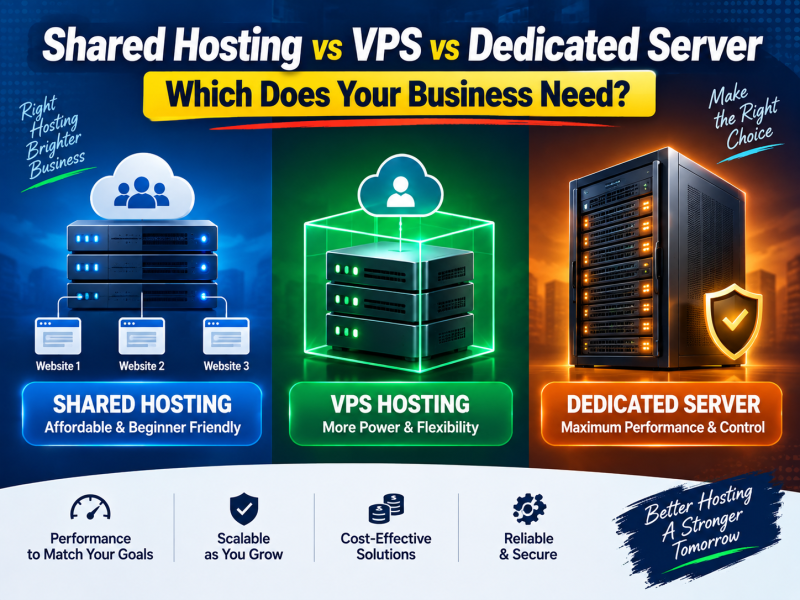
These answers tell you whether shared hosting is enough or whether you should look at a VPS from the start. For most first websites, a good shared hosting plan is the right, economical choice.
2. Storage type matters more than storage size
Hosting advertisements love big numbers: "50 GB storage!" In reality, a typical business website with a few hundred images uses far less than 5 GB. What matters more is the type of storage.
Traditional hard disks (HDD) read and write data mechanically and are slow. SSD storage has no moving parts and is many times faster, which means your database queries finish sooner and your pages are generated faster. NVMe SSDs are faster still. For any modern website, and especially for WordPress, choose SSD or NVMe storage. A smaller SSD plan will usually feel faster than a huge HDD plan.
3. Look at the limits behind "unlimited"
"Unlimited bandwidth" and "unlimited websites" sound attractive, but every server has physical limits. Shared hosting providers protect all their customers by limiting how much CPU, memory, simultaneous processes and inodes (the number of files) each account can use.
These limits are usually listed in the plan details or the terms of service. Ask the provider directly:
- How much CPU and RAM does my account get?
- What is the inode (file count) limit?
- What happens if my site gets a sudden traffic spike — is it slowed down or suspended?
A provider that answers these questions clearly is usually more trustworthy than one that only repeats "unlimited".
4. Security features that should be included, not sold separately
Websites in Bangladesh are attacked just like websites anywhere else. Automated bots constantly try to guess WordPress passwords, upload malicious files and inject spam links. Good hosting reduces the risk with features that should come as standard:
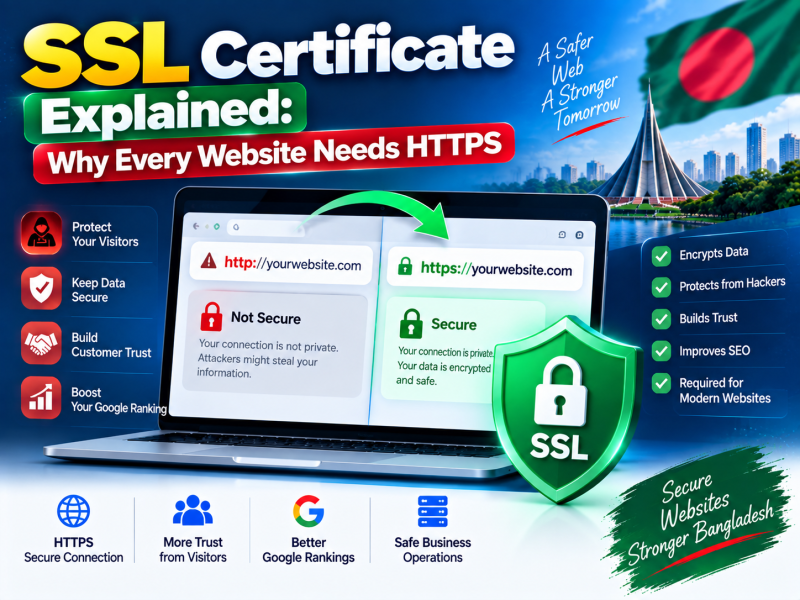
- Free SSL certificate — encrypts traffic between your visitors and your site and shows the padlock in the browser. Google also treats HTTPS as a ranking signal. A certificate from Let's Encrypt or a similar authority should be issued and renewed automatically at no cost.
- Malware scanning — regular scans that detect infected files before they damage your reputation or get your site blacklisted.
- Account isolation — technology that stops a hacked website on the same server from affecting yours.
- Firewall and brute-force protection — blocks repeated login attempts and common attacks.
If a provider charges extra for a basic SSL certificate in 2026, treat it as a warning sign.
5. Backups: ask how you restore, not just whether they exist
Mistakes happen. A plugin update breaks the site, a staff member deletes the wrong folder, or malware corrupts files. At that moment the only thing that matters is how quickly you can get a working copy back.
Ask these questions before you buy:
- How often are backups taken — daily, weekly?
- How many days of backups are kept?
- Can I restore a single file or database myself from the control panel, or do I need to open a ticket?
- Is restoring free?
Even with good hosting backups, keep your own copy of important websites. Download a full backup once a month and store it on Google Drive or an external disk.
6. Server location and speed for visitors in Bangladesh
Distance adds delay. If almost all your visitors are in Bangladesh, a server that is well connected to Bangladeshi networks will usually give them faster first responses. Some providers use servers inside Bangladesh connected to BDIX, the local internet exchange; others use data centres in Singapore, Europe or the USA with good international routes.
There is no single right answer. A local server can be very fast for local visitors, while an international data centre may offer better reliability and global reach. What you should do is test: ask for a demo site or test URL and open it from your own mobile data and broadband connection at different times of day. Real-world speed on Grameenphone, Robi, Banglalink and your local ISP matters more than any claim on a banner.
Also look for LiteSpeed web server or built-in caching support. Combined with a caching plugin, it can make WordPress sites dramatically faster.
7. Control panel and one-click tools
You will manage your hosting through a control panel such as cPanel, DirectAdmin, Plesk or Webuzo. A good panel lets you, without technical help:
- Install WordPress and other applications with one click.
- Create email accounts and set up forwarding.
- Manage databases through phpMyAdmin.
- Change PHP versions and settings.
- Point subdomains and addon domains to folders.
- Take and restore backups.
If you are not technical, ask for a screenshot or a short demo of the panel before you buy.
8. Support that actually solves problems
Support quality is where hosting companies differ most, and it is the hardest thing to judge from a website. Some practical ways to check:
- Contact them before buying. Send a pre-sales question on WhatsApp or through a ticket at an unusual hour. How quickly and how clearly do they reply?
- Check the channels. Phone, WhatsApp, ticket and email support in Bangla and English is ideal for most Bangladeshi businesses.
- Read recent reviews. Look at Google reviews and Facebook comments, paying attention to how the company responds to complaints.
- Ask about migration. A helpful provider will move your existing website for you, often free of charge.
9. Understand the real price: renewal, VAT and billing cycle
The headline price is rarely the full story. Compare plans using the total cost over one to three years:
- Renewal price. Many providers offer a low first-year price and a much higher renewal price. Always ask what you will pay in year two.
- Billing cycle. Monthly billing keeps upfront cost low. Yearly billing is simpler for long-term sites and sometimes cheaper.
- VAT and fees. Check whether VAT is included and whether payment gateway charges are added.
- Domain cost. A "free domain" offer usually applies to the first year only.
Also confirm the payment methods. Paying by bKash, Nagad, bank transfer or local card is much easier for most businesses than an international credit card.
10. Plan for growth
Your website today is not your website in two years. A good hosting company lets you move up smoothly:
- Upgrade to a bigger shared plan with a few clicks, without changing servers.
- Move to a VPS when you need guaranteed resources.
- Move to a dedicated server when you run large applications.
Choosing a provider that offers all three saves you from a painful migration to a new company later.
A practical checklist for comparing hosting plans
| Question | What a good answer looks like |
|---|---|
| Storage type | SSD or NVMe |
| SSL certificate | Free, installed and renewed automatically |
| Malware scanning | Included |
| Backups | Regular, self-service restore from the panel |
| Resource limits | Clearly stated CPU, RAM and inodes |
| Support | Phone, WhatsApp and tickets, Bangla and English |
| Renewal price | Clearly shown, no surprise increase |
| Payment | bKash, Nagad, bank or card |
| Upgrade path | Bigger plans, VPS and dedicated servers available |
Common mistakes to avoid
- Choosing only by the lowest price. Extremely cheap hosting often means crowded servers and slow support. Downtime during a sale costs more than a slightly higher plan.
- Buying far more than you need. Start with a plan that fits and upgrade when real traffic arrives.
- Registering your domain in someone else's name. Make sure the domain is registered to you or your company, not to a freelancer or agency.
- Ignoring backups. Keep your own backup copy, even if the host takes backups.
- Not testing speed from Bangladesh. Always test from the networks your customers actually use.
Conclusion
The best web hosting in Bangladesh is not the plan with the biggest numbers or the smallest price. It is the plan that fits your website's real needs, runs on fast SSD storage, includes security and backups by default, is supported by people who answer quickly, and lets you grow without changing companies.
If you would like help choosing, W3 SOFT offers SSD web hosting with free SSL, malware scanning, backup tools and one-click WordPress installation, with payment by bKash, Nagad or card. You can compare all hosting plans, read more on our web hosting page, or talk to our team about your website.

Discussion 0
No comments yet — start the conversation.