


Schools, colleges and madrasas in Bangladesh manage an enormous amount of information: admissions, class routines, daily attendance, fees and waivers, exam marks, result sheets, testimonials, teacher salaries and constant communication with guardians. When all of this lives in registers, Excel files and phone calls, errors multiply and administrative staff spend their days copying numbers from one place to another.
A good school management software brings these tasks into one system. This guide explains what such software does, the features that matter most for Bangladeshi institutions, how to evaluate vendors, how implementation works and the mistakes to avoid.
What problems does school management software solve?
- Fee collection chaos — hand-written receipts, lost records and uncertainty about who has paid.
- Result processing errors — manual calculation of grades, GPA and merit positions takes days and invites mistakes.
- Attendance that nobody analyses — registers are filled daily but guardians only learn about absences much later.
- Slow communication — notices on the board or calls to hundreds of guardians one by one.
- Scattered student information — admission forms, photos and certificates spread across files and cabinets.
- No overview for management — owners and principals cannot see collection, dues and performance at a glance.
Core modules to look for
1. Student information and admission
A complete profile for every student with personal details, guardian information, photo, class, section, roll and documents. Look for online admission forms, admission test management and easy promotion of students to the next class at the end of the year.
2. Attendance
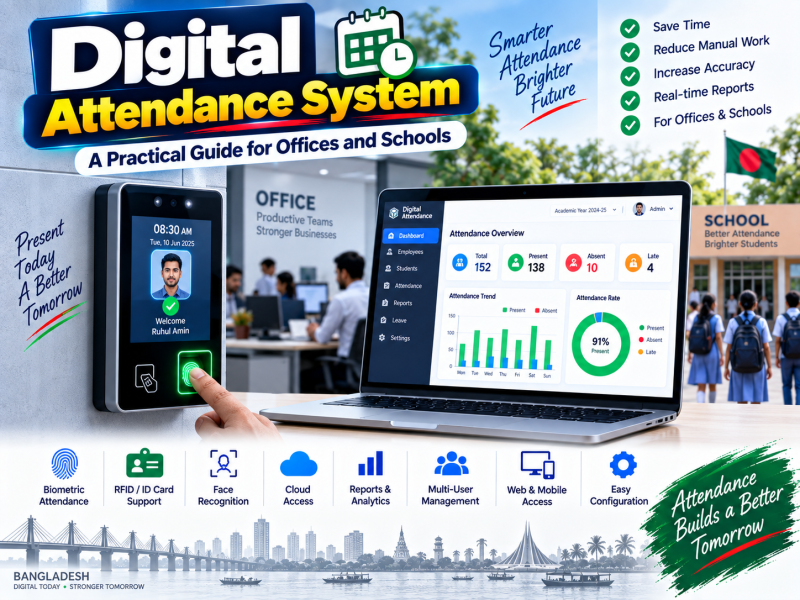
Class-wise attendance by teachers on a mobile phone or tablet, or automatic attendance from biometric and card devices. Reports should show daily, monthly and yearly attendance per student and class, and highlight students with frequent absences.
3. Fee management
This module usually delivers the fastest return. It should handle:
- Monthly tuition, admission, session, exam and other fee heads.
- Waivers, scholarships and sibling discounts.
- Printed and digital money receipts.
- Due lists by class and automatic reminders.
- Online payment by bKash, Nagad or bank, recorded against the student automatically.
4. Exam and result processing
Mark entry by subject teachers, automatic grade and GPA calculation following the grading system you use, merit position, tabulation sheets, mark sheets and progress reports ready to print. Support for continuous assessment, class tests and different exam patterns across classes is important.
5. SMS and guardian communication
Bulk SMS for notices, holidays, exam routines and fee reminders, and automatic SMS when a student is absent or when results are published. A guardian app or portal where parents can see attendance, results and dues is a strong advantage.
6. Accounts and payroll
Income and expense tracking, teacher and staff salary processing, and financial reports so management can see the real financial position of the institution.
7. Other useful modules
- Class routine and teacher assignment.
- Library management.
- Transport and hostel management.
- Certificates, testimonials and ID card printing.
- A website integration to publish notices and results online.
Features that matter specifically in Bangladesh
- Bangla support — reports, mark sheets, notices and SMS in Bangla where needed.
- Local grading system — correct GPA and letter grade calculation for the curriculum you follow.
- Madrasa requirements — Arabic subjects and specific result formats if you run a madrasa.
- Mobile payments — bKash and Nagad, because most guardians prefer them.
- Works on low bandwidth — the system should be usable on ordinary mobile connections.
- Local support — someone who can answer the phone during result season.
Cloud-based or installed on a local computer?
| Cloud-based | Local installation | |
|---|---|---|
| Access | From anywhere, including principal's phone and guardian portal | Only on the office network |
| Backups | Handled by the provider | Your responsibility |
| Updates | Automatic | Manual |
| Internet dependence | Needs internet | Works offline |
| Hardware risk | Low | Data lost if the computer fails without backup |
For most institutions, cloud-based software is safer and more convenient, especially when guardians need access. Local installation can suit institutions with unreliable internet, as long as disciplined backups are in place.
How to evaluate a software vendor
- Ask for a live demo using your real scenario — admit a student, collect a fee with waiver, enter marks and print a result sheet.
- Talk to existing clients, preferably institutions of a similar size and type.
- Check data ownership — can you export all your data in Excel if you ever leave?
- Understand pricing — one-time cost, yearly maintenance, per-student fees and SMS charges.
- Ask about customisation — can the vendor adjust result formats and reports for your institution?
- Confirm training and support — who trains teachers and office staff, and how quickly issues are handled.
- Check security — user roles, password protection, HTTPS and regular backups.
Implementation: a realistic plan
- Preparation — collect class lists, fee structures, subjects and grading rules.
- Setup — the vendor configures classes, sections, fee heads, subjects and exam patterns.
- Data import — existing student and guardian data is imported from Excel.
- Training — separate sessions for office staff, accounts and teachers.
- Pilot — start with attendance and fee collection in a few classes.
- Full launch — roll out to all classes and introduce guardian SMS and the portal.
Starting at the beginning of an academic session or term makes the transition much smoother than switching in the middle of exams.
Getting teachers and staff on board
Software only works when people use it every day. Involve senior teachers early, show them how the system reduces their result workload, provide short hands-on training instead of long lectures, and keep a printed quick guide in the staff room for the first few weeks.
Measuring the benefits
- Time needed to publish results after exams.
- Percentage of fees collected on time and the size of the due list.
- Number of guardian complaints about missing information.
- Staff hours spent on manual registers and calculations.
- Attendance rate trends after automatic absence SMS is introduced.
A day in a school before and after software
Before
The accounts office opens with a queue of guardians paying fees in cash. Each payment is written in a receipt book and later copied into a ledger. Teachers mark attendance in registers that are rarely totalled until the month ends. When the principal asks how many students are behind on fees, it takes a day to find the answer. After final exams, several teachers spend a week calculating GPA and positions by hand, and a single typing mistake on a result sheet leads to complaints from guardians.
After
Many guardians pay by bKash or Nagad from home, and the payment appears against the student's record instantly with a digital receipt. Attendance is taken on the teacher's phone or captured by a device at the gate, and guardians of absent students receive an SMS within minutes. The principal opens a dashboard to see today's attendance, this month's collection and the due list by class. After exams, teachers enter marks subject by subject, and result sheets, tabulation and merit positions are generated in hours rather than days.
Data security and privacy for student information
Student records contain sensitive personal information: names, dates of birth, guardian phone numbers, addresses and results. Treat them with the same care as financial data.
- Role-based access. Teachers should see their own classes and subjects; accounts staff should see fees; only authorised management should see everything.
- Strong passwords and personal logins. Never share one login among all teachers.
- Encrypted connections. The system should run on HTTPS.
- Regular backups. Ask the vendor how often data is backed up and how quickly it can be restored.
- Activity logs. A record of who changed marks or fee records helps resolve disputes and prevents misuse.
- Data export. You should always be able to export your data if you change providers.
Understanding the real cost
When comparing vendors, calculate the total cost over three years rather than only the first payment:
- Initial setup or licence cost.
- Yearly subscription or maintenance fee.
- Per-student charges, if any, as enrolment grows.
- SMS costs for notices, absence alerts and result publication.
- Hardware such as attendance devices, if you choose biometric attendance.
- Customisation of reports or result formats.
Then compare it with the time saved for office staff and teachers, the improvement in timely fee collection and the reduction in errors. For most institutions, better fee collection alone justifies the investment.
Common mistakes to avoid
- Choosing only by the lowest price without checking whether result processing matches your system.
- Skipping teacher training, so teachers keep using paper and the data becomes incomplete.
- Importing messy data — clean class lists and phone numbers first.
- Not assigning an internal owner — one staff member should coordinate with the vendor.
- Ignoring guardian phone number accuracy, which makes SMS communication useless.
Conclusion
School management software can turn admission, attendance, fees, results and guardian communication from daily struggles into routine tasks. The right system for a Bangladeshi institution supports Bangla and local grading, accepts mobile payments, sends SMS automatically, is easy for teachers to use and comes with dependable local support. Evaluate vendors with real scenarios, plan the rollout for the start of a session and train every user.
W3 SOFT's Shadhinata education management software is built for schools, colleges and madrasas in Bangladesh, covering admission, attendance, fees, results, SMS and accounts, and it works with our Digital Hajira attendance system. Book a free demo or explore our business software.

Discussion 0
No comments yet — start the conversation.