

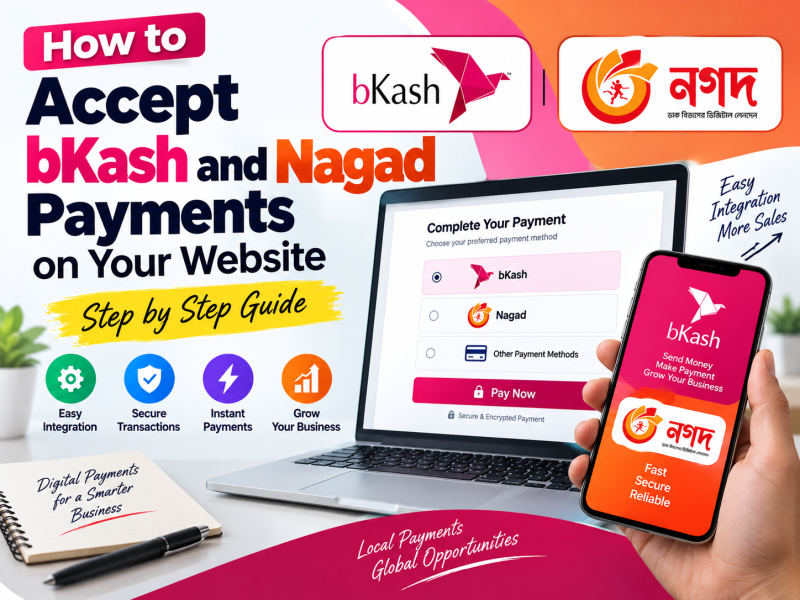
For most customers in Bangladesh, the easiest way to pay online is not a credit card — it is bKash or Nagad. If your website only accepts cards, or asks customers to "send money and share the transaction ID", you are losing sales and creating extra work for your team. Automatic mobile financial service (MFS) payments at checkout solve both problems.
This guide explains how bKash and Nagad payments work on a website, what you need before you start, the difference between manual and automatic payment, how integration works technically, and the security and business practices that keep payments smooth.
Why accepting bKash and Nagad matters
- Customer reach. Mobile wallets are used across cities, towns and villages, including by customers who do not have a bank card.
- Trust. Customers already know and trust the bKash and Nagad payment screens.
- Fewer abandoned carts. Every extra step at checkout loses buyers. Paying in a familiar app reduces friction.
- Faster confirmation. Automatic payments confirm orders immediately instead of waiting for staff to check transactions manually.
- Less cash-on-delivery risk. Advance payment reduces fake orders and returned parcels.
Manual payment vs automatic payment gateway
Manual ("Send Money") method
Many small shops show a personal or merchant number and ask customers to send money, then type the transaction ID into a form. It costs nothing to set up, but it has real problems:
- Staff must check every transaction by hand in the wallet app.
- Customers make mistakes with amounts and numbers.
- Orders wait for confirmation, sometimes for hours.
- Fake or reused transaction IDs are a common fraud problem.
- Using a personal account for business collections is against the wallet providers' terms and may cause the account to be restricted.
Automatic payment gateway
With a proper merchant integration, the customer clicks "Pay with bKash" or "Pay with Nagad" at checkout, is taken to the official payment page or app, enters their wallet number, OTP and PIN, and returns to your website. Your website receives a secure confirmation from the provider and marks the order as paid automatically.
This is the professional option for any business that receives regular online orders, subscriptions or invoice payments.
What you need before you start
- A registered business. Merchant accounts are for businesses. Keep your trade licence ready.
- Business documents. Typically the trade licence, owner's National ID, TIN or e-TIN, bank account details and business address. Requirements can change, so confirm the latest list with each provider.
- A live website with clear policies. Payment providers usually review your website. Publish product or service details, prices, contact information, a refund policy, privacy policy and terms and conditions.
- An SSL certificate. Your checkout must run on HTTPS.
- A merchant account application. Apply for a bKash merchant account for payment gateway (online checkout) and a Nagad merchant account. After approval you receive API credentials for testing (sandbox) and later for live payments.
How a gateway payment works, step by step
- The customer places an order and chooses bKash or Nagad at checkout.
- Your server authenticates with the provider using your merchant credentials and creates a payment request for the exact amount.
- The customer is redirected to the provider's secure payment page, enters their wallet number, receives an OTP and confirms with their PIN.
- The provider sends the customer back to your website with a payment reference.
- Your server verifies the payment directly with the provider's API before marking the order as paid.
- The customer sees an order confirmation, and you can send an SMS or email receipt.
Step 5 is essential. Never mark an order as paid only because the customer returned to a "success" URL; always confirm the transaction status from your server.
Integration options
1. Plugins for WordPress and WooCommerce
If your shop runs on WooCommerce, plugins exist for bKash and Nagad. Choose plugins that use the official merchant APIs, are actively updated and come from a trustworthy developer. Test thoroughly in sandbox mode before going live.
2. Aggregator payment gateways
Local payment aggregators such as SSLCOMMERZ, aamarPay, ShurjoPay and others offer a single integration that includes cards, internet banking and mobile wallets. This is convenient when you want many methods through one account, but compare fees and settlement times.
3. Direct API integration
For custom websites, Laravel or other frameworks, and software such as billing systems, direct integration with the bKash and Nagad APIs gives the most control over the checkout experience, refunds and reconciliation. It requires a developer familiar with the providers' documentation, callback handling and security requirements.
Security best practices
- Keep credentials secret. Store API keys and secrets in server environment files, never in JavaScript, public code repositories or the database in plain text.
- Verify every payment server-side using the provider's query or execute API.
- Check the amount and currency. Confirm that the paid amount matches the order total so no one can pay less by editing a request.
- Prevent duplicate processing. A payment reference should only mark one order as paid, even if the callback arrives twice.
- Log transactions. Keep a record of payment IDs, amounts, statuses and timestamps for reconciliation and dispute handling.
- Use HTTPS everywhere and keep your website software updated.
Testing before going live
- Use the sandbox credentials and test wallet numbers provided by the gateway.
- Test a successful payment, a cancelled payment, a failed payment and a closed browser in the middle of paying.
- Confirm the order status is correct in each case.
- Test on mobile phones, because most customers will pay from a phone.
- Switch to live credentials and make a small real payment before announcing the new checkout.
Refunds, fees and settlement
- Transaction fees. Gateways charge a percentage per transaction. Check the current rate for your business category and include it in your pricing.
- Settlement. Collected money is transferred to your merchant wallet or bank account on a schedule. Understand how long settlement takes so your cash flow planning is accurate.
- Refunds. Gateway integrations usually support refunds through the API or merchant panel. Publish a clear refund policy and follow it consistently.
- Reconciliation. Compare your website's paid orders with the merchant panel report every week.
Designing a checkout customers trust
- Show bKash and Nagad logos clearly on the product page and checkout.
- Display the final amount, including delivery charge, before the customer pays.
- Keep checkout short: name, phone, address and payment method.
- Offer cash on delivery alongside mobile payment where it makes sense.
- Send an instant SMS confirmation with the order number after payment.
- Show a support phone or WhatsApp number on the payment page.
Payments beyond online shops
bKash and Nagad integration is not only for e-commerce. Many other Bangladeshi businesses and institutions benefit from automatic mobile payments:
- Schools, colleges and madrasas — students or guardians pay tuition, admission and exam fees online, and the payment is recorded against the student automatically, removing long queues at the accounts office.
- Hospitals and diagnostic centres — patients pay for appointments or test bills in advance and receive their report link by SMS when the payment is confirmed.
- Subscription and SaaS businesses — hosting companies, software providers and internet service providers collect monthly bills and send automatic reminders with a payment link.
- Service businesses — consultants, training centres and event organisers accept booking fees and registrations without chasing payments.
- Invoice payments — B2B companies email an invoice with a "Pay now" link so clients can settle small bills instantly.
In each case the benefit is the same: the payment is linked to the right invoice or customer automatically, staff no longer match transaction IDs by hand, and the customer receives instant confirmation.
A launch checklist
- Merchant accounts approved for bKash and Nagad online payment.
- Refund, privacy and terms pages published and linked in the footer.
- HTTPS active on every page, including checkout and callback URLs.
- Server-side payment verification and duplicate protection implemented.
- Success, failure and cancellation tested on real mobile phones.
- SMS or email confirmation sent after every successful payment.
- A weekly reconciliation routine assigned to a team member.
Common problems and how to fix them
| Problem | Likely cause | Fix |
|---|---|---|
| Payment succeeds but order stays unpaid | Callback not received or not verified | Add server-side verification and a scheduled job to re-check pending payments |
| Customers see an error on redirect | Wrong callback URL or missing HTTPS | Use the exact HTTPS callback URL registered with the provider |
| Order paid twice | No duplicate protection | Lock an order once a payment reference is recorded |
| Works in sandbox, fails live | Sandbox credentials or URLs still in use | Switch every URL and key to production values |
Conclusion
Accepting bKash and Nagad through a proper merchant gateway is one of the fastest ways to increase online sales in Bangladesh. It makes paying easy for customers, removes manual checking for your staff and reduces fake orders. The key steps are a registered business, clear website policies, official merchant accounts, secure server-side verification and careful testing.
W3 SOFT builds e-commerce websites and business software with bKash, Nagad, card and cash-on-delivery payments built in, and our own client area accepts bKash and Nagad for hosting and domain payments. If you want payment integration for your website or software, request a free quote or explore our e-commerce development service.

Discussion 0
No comments yet — start the conversation.